GTA 6 Character Models & Skin Micro-Detail Slider
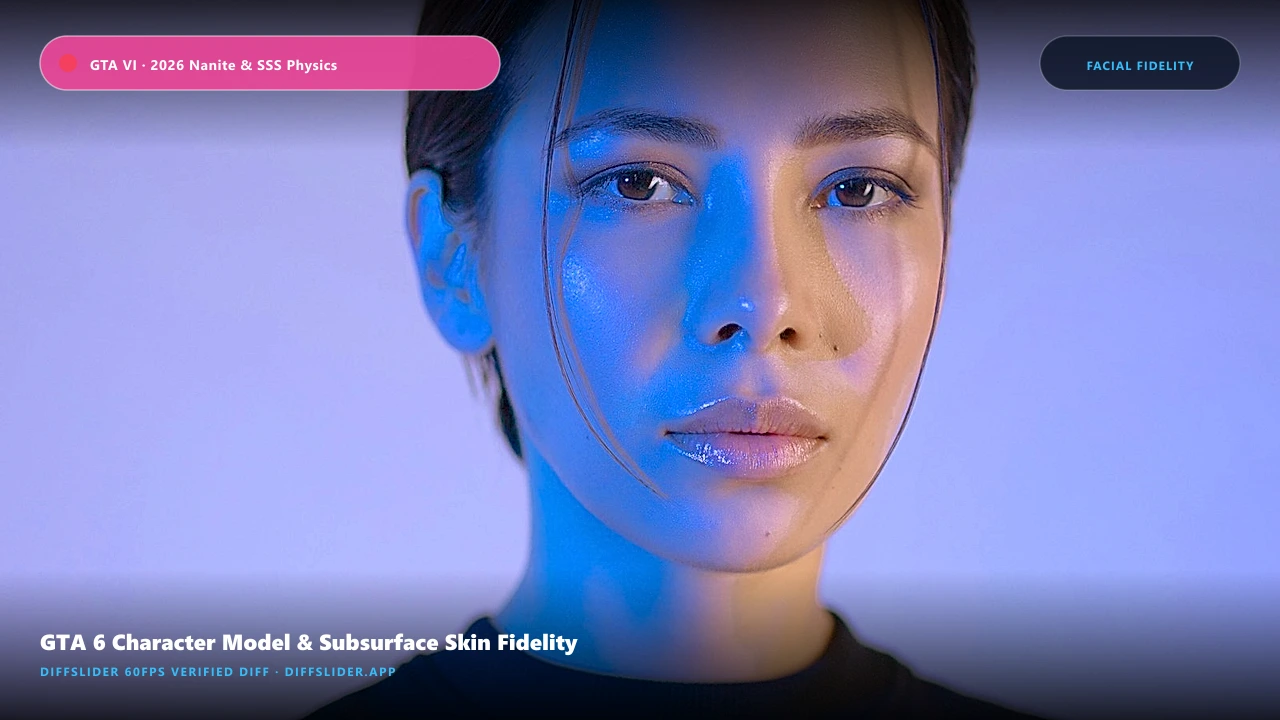
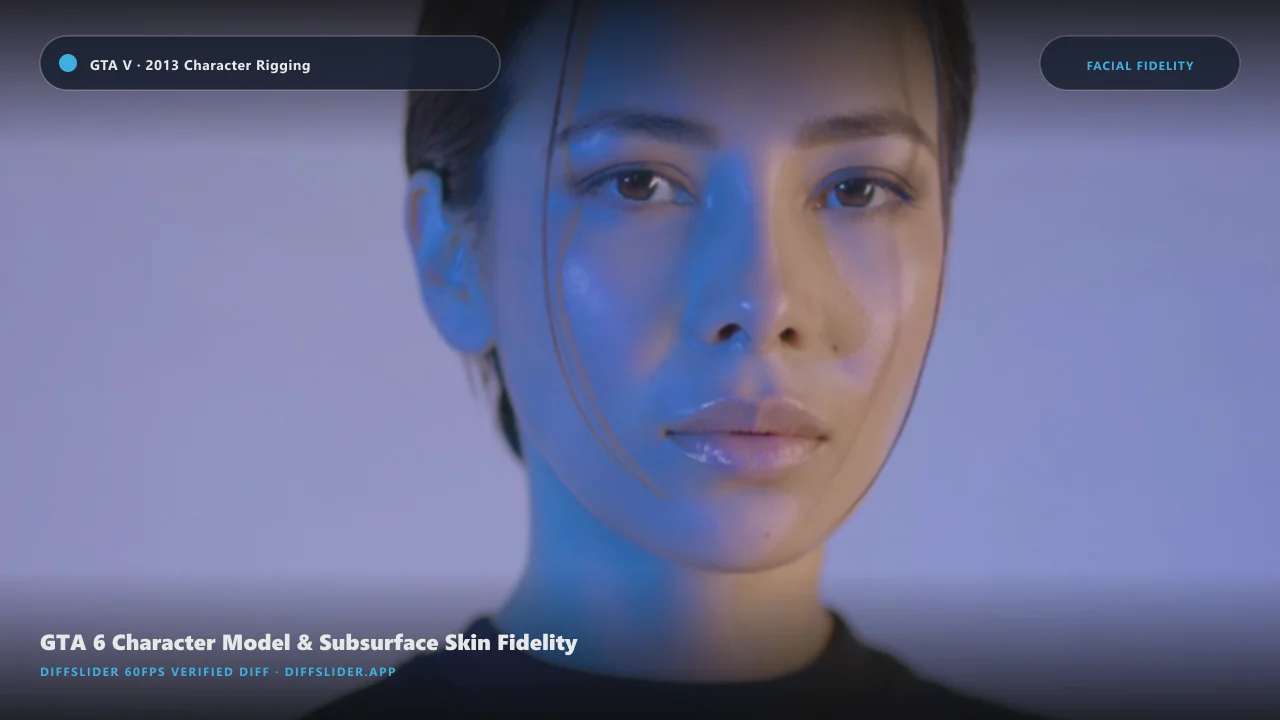
Examine the revolutionary generational upgrade in facial motion capture, skin porosity, strand-based hair simulation, and subsurface scattering between GTA 5 and GTA 6 protagonists Lucia and Jason.
Create Your Own GTA 6 Character Models Comparison Slider
Have your own baseline and result photos? Drag & drop your 2 images directly into DiffSlider to generate a 60 FPS interactive before/after slider or download a vertical video for social media.
📋 Embed This GTA 6 Character Models Slider on Your Website
Copy and paste into WordPress, Shopify, Webflow, Squarespace, or custom HTML.
Need Ready-to-Use Clinical Cases for Your Practice?
Stop risking copyright lawsuits. Get 500+ Royalty-Free 4K Clinical Before/After Cases with 10-second white-label branding, customized with your clinic’s logo, ready to embed on your website and consultation iPads.
How to Create a GTA 6 Character Models Comparison with DiffSlider
Create your own interactive 60 FPS before-and-after slider in under 60 seconds. Export high-definition vertical MP4 videos for TikTok and Instagram Reels, or embed responsive widgets directly on your website.
Upload Before & After Photos
Drag & drop your baseline photo (GTA 5 (2013 Polygonal Mesh)) and result photo (GTA 6 (2026 Subsurface SSS)) into DiffSlider. Supports PNG, JPG, WebP, and AVIF up to 32MB each.
Inspect with 1600% Sub-Pixel Zoom
Drag the 60 FPS divider to evaluate changes. Switch effortlessly between Split Slider, Side-by-Side, Fade Overlay, and Difference Map modes.
Export 60fps Video or Embed
Generate a smooth 60 FPS MP4 video ready for TikTok, Instagram Reels, YouTube Shorts, or Reddit in 1 click. Or copy the 1-line responsive iframe for your CMS.
🎯 Alignment Checklist for GTA 6 Character Models
- ✓ Match eye level coordinates across both character frames.
- ✓ Inspect hair line separation and ear translucency under direct sunlight.
- ✓ Toggle between Split and Difference map to audit vertex density increases.
Ready to create your gta 6 character models comparison?
100% Free · No sign-up required · Works in any modern browser
Subsurface Scattering: From Plastic Sheen to Living Human Skin
In GTA 5, character faces were built from roughly 15,000 to 20,000 polygons with basic specular highlights. Under direct sunlight or harsh streetlamps, character models often exhibited a stiff, slightly waxy or plastic texture.
GTA 6 incorporates advanced multi-layered Subsurface Scattering (SSS) and Nanite-level geometric density. Light penetrates the epidermal layers of characters like Lucia and Jason, bouncing internally through subcutaneous fat and capillaries before re-emerging, creating authentic ear translucency and lifelike skin tone warmth.
Strand-Based Hair Simulation vs Rigid Card Meshes
Traditional open-world games rely on "hair cards"—textured polygonal strips overlaid with transparency alpha masks. In GTA 6, protagonist hair responds to wind turbulence, humidity, vehicle speed, and water submersion with strand-level physics simulation.
Noticeable in high-speed convertible driving scenes, individual strands blow independently with accurate mass, inertia, and anisotropic specular sheen.
Micro-Pore Wrinkle Maps & Emotion-Driven Blendshapes
Facial animation in GTA 6 employs high-fidelity performance capture mapped to dynamic wrinkle maps. When a character frowns or laughs, micro-creases form naturally around the eyes and brow, stretching pore geometry dynamically.
Sclera blood vessels, wetness lines along the lower eyelid, and dynamic pupil dilation respond in real-time to ambient environmental luminance.
Clinical & Photography Pro Tips
- Zoom into the cheekbones and forehead at 800% to inspect realistic pore distribution and micro-imperfections.
- Use Side-by-Side mode to evaluate how facial bone structures react to rim lighting.
- Download the 60fps vertical MP4 reel to create viral comparison shorts for YouTube and TikTok.
Frequently Asked Questions
Are the GTA 6 character models in-game captures or pre-rendered CGI?
Rockstar Games captures all trailer footage in real-time on current-generation console hardware (PS5 / Xbox Series X) using the native in-engine RAGE camera system.
How does DiffSlider zoom without blurring or pixelating?
DiffSlider uses hardware WebGL texture filtering with nearest-neighbor and bicubic options, allowing you to inspect individual texels at up to 1600% magnification.
Found this GTA 6 Character Models comparison useful?
Share this interactive slider or 60 FPS video with colleagues, followers, or clients across social media.
Related photography & comparison guides
View all guides →More Gaming & Tech use cases
Explore other industry applications
All 10+ use cases →Looking for alternatives to legacy comparison tools?
See how DiffSlider compares against legacy tools like imgsli · JuxtaposeJS · imgico · TwentyTwenty · Diffchecker Images